
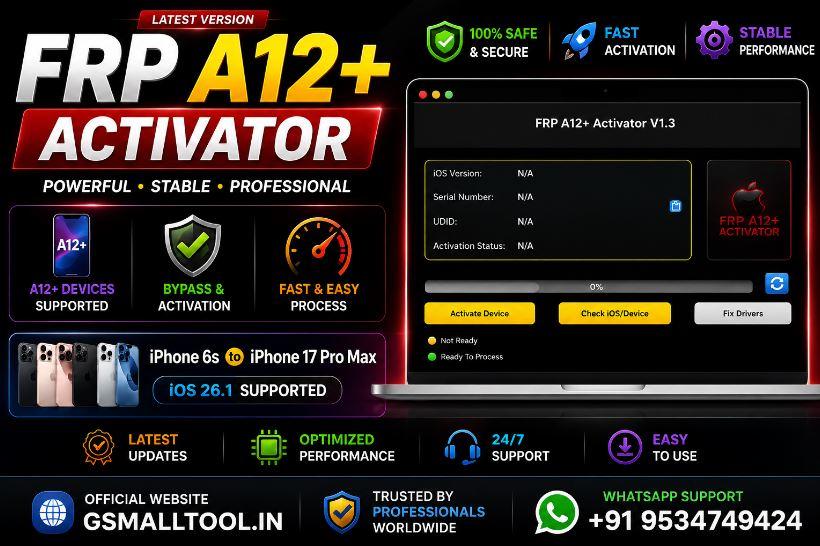
FRP Activator New Hello Screen iPhone (Not Done reject accepted) 4s to 17 Pro Max 12.14.15 up to iOS 26.1
Price
8.66 USD
Delivery
Instant
Status
Online
You must agree before submitting.
Service Guarantee
Resource
Manage your tools and account from this resource access hub.
FRP A12+ Activator – iCloud Hello Screen Bypass (No Signal)
⚠️ NO SIM • NO REJECT • NO REFUND
Supported Devices
📱 iPhone Models
- iPhone 4s
- iPhone 5 / 5c / 5s
- iPhone 6 / 6 Plus
- iPhone 6s / 6s Plus
- iPhone SE (1st Gen)
- iPhone 7 / 7 Plus
- iPhone 8 / 8 Plus
- iPhone X
- iPhone XR / XS / XS Max
- iPhone 11 / 11 Pro / 11 Pro Max
- iPhone 12 / 12 Mini / 12 Pro / 12 Pro Max
- iPhone 13 / 13 Mini / 13 Pro / 13 Pro Max
- iPhone 14 / 14 Plus / 14 Pro / 14 Pro Max
- iPhone 15 / 15 Pro / 15 Pro Max
- iPhone 16 Series
- iPhone 17 Pro Max
📲 iPad Models
- iPad (All Generations)
- iPad Mini (All Models)
- iPad Air (All Models)
- iPad Pro (All Models)
Supported iOS Versions
✅ iOS 14.x
✅ iOS 16.7.12
✅ iOS 17.4.1
✅ iOS 17.5.1
✅ iOS 17.6.1
✅ iOS 18.2
✅ iOS 18.3 / 18.3.1 / 18.3.2
✅ iOS 18.4 / 18.4.1
✅ iOS 18.5
✅ iOS 18.6 / 18.6.2
✅ iOS 18.7.1 / 18.7.2
✅ iOS 26.0 / 26.0.1 / 26.1
100% Tested Versions
Legacy Device Support
| Device | Supported iOS |
|---|---|
| iPad Mini 1 | 9.3.5 Only |
| iPad 2 | 9.3.5 Only |
| iPad 3 | 9.3.5 Only |
| iPhone 4 | 7.1.2 Only |
| iPhone 4s | 9.3.5 & 9.3.6 |
| iPod Touch 5 | 9.3.5 Only |
Key Features
- ✅ iCloud Hello Screen Bypass
- ✅ No Signal (Wi-Fi Only)
- ✅ No SIM Required
- ✅ Supports A12+ Devices
- ✅ Fast & Stable Process
- ✅ Windows Tool
- ✅ High Success Rate
- ✅ Easy One-Click Activation
- ✅ Untethered Bypass (Supported Versions)
- ✅ OTA Update & Reset Block (Supported Versions)
System Requirements
- Windows 10 / Windows 11
- Latest Apple Drivers / iTunes
- High-Quality USB Cable
- Stable Internet Connection
How It Works
- Install FRP A12+ Activator on your Windows PC.
- Connect the device using a USB cable.
- Put the device into the required mode.
- Copy the Serial Number (SN).
- Register the SN on gsmxr.in.
- Click Bypass / Activate.
- Wait until the process completes.
- The device will restart and bypass the Hello Screen.
Important Notice
- ❌ No Cellular Signal
- ❌ No Calls
- ❌ No Mobile Data
- ✅ Wi-Fi Supported
- ✅ Apps & Settings Accessible
Service Policy
- NO REJECT
- NO REFUND
- Once the Serial Number (SN) or IMEI is registered on the activation server, the order cannot be cancelled or refunded.
- Always use the Check Device option before purchasing to verify compatibility.
Why Choose FRP A12+ Activator?
- Trusted by GSM Technicians Worldwide
- Regular Tool Updates
- Supports Latest iOS Versions
- Professional Service Center Solution
- Fast, Secure & Stable Performance
- Time-Saving Activation Process
-
FRP A12Activator4s to 17 Pro Max All iPads-IOS-12.14.15.17.18.7.2-up to-26.1 (No Refund)
8.05 USD Miniutes -
![UNLOCKTOOL (6h)-[instant-Auto API 24x7]](/media/a09d47ed-4f2a-41f2-aec3-a5c405110cd8.png)
UNLOCKTOOL (6h)-[instant-Auto API 24x7]
0.58 USD Instant -
![AMT - Android Multitool Tool RENT (AMT TOOL) (2h) [instant-Auto API 24x7]](/media/bffc328e-0bce-4ddc-82f8-e6fddd93a442.png)
AMT - Android Multitool Tool RENT (AMT TOOL) (2h) [instant-Auto API 24x7]
0.57 USD Instant -
AMT RENT( Android Multi Tool ) 2 Hours Fast (24x7) source 1
0.61 USD Instant